


Monetize your blog would be the first thing that you heard after one creates a blog. If you want to earn some money with your blog, you can consider adsense. Everyone will recommend it to you, Google Adsense is already provided to you along with your blog and you just have to activate it and earn some money.
Google provides everyone with adsense but it comes with a number of rules, Always remember this! There is nothing here to frighten you, just some simple stuff like;
If you put adsense on your blog, you will never click on any ads.
How to put Adsense to your blog:
- Go to Earnings in your blog

- Click on the Sign up for Adsense button
- Follow the steps that Google provides you and fill the form for your Adsense account
Once you have done that, go to the Layout section in blogger
- Click on Add a Gadget
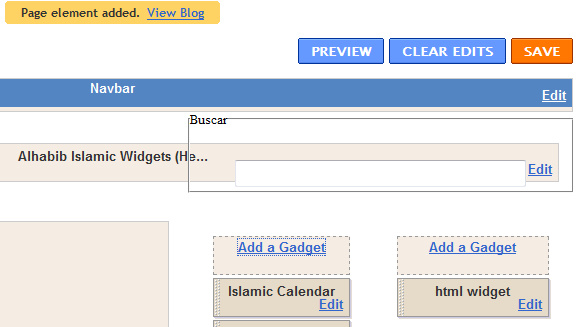
Once you click on that you will see the Adsense Widget, click on it

After you have got it on your layout page, place it wherever you want it to appear
You can customize the gadget according to background color.

Note: Do not forget to save your layout page!


0 comments:
Post a Comment